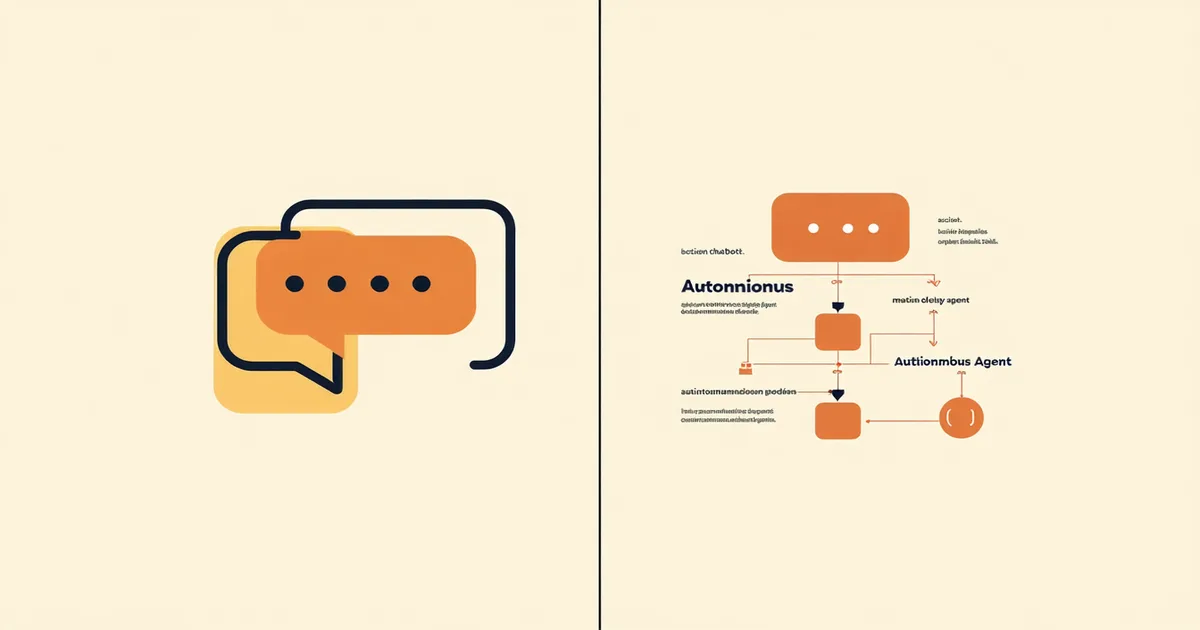
The word "agent" is doing a lot of work right now. Vendors apply it to systems that can answer a FAQ. They apply it to systems that can route a ticket. They apply it to systems that can execute a refund, modify a subscription, and close the thread without human involvement. These are not the same thing. The gap between them isn't a matter of degree — it's a categorical difference in architecture.
If you're evaluating AI tools for your support operation, understanding that gap is the difference between buying something that reduces your team's workload and buying something that adds a new category of complaint to your backlog.
The Chatbot Architecture
A chatbot — even a sophisticated LLM-backed one — is fundamentally a retrieval and response system. It takes a customer's input, searches for a relevant answer, and returns text. The best modern chatbots do this with impressive fluency and can handle follow-up questions coherently. What they don't do is take action.
This distinction matters in practice. A chatbot can tell a customer "to cancel your subscription, go to Settings > Billing > Cancel." An autonomous agent can cancel the subscription. The chatbot response requires the customer to do work. The agent response completes the work. For a customer contacting support at 11pm because their payment failed and their account is locked, "here's how you might fix this" and "I've fixed this" are completely different experiences.
Most AI support products on the market today — including the AI features bolted onto established helpdesk platforms — are operating in the chatbot architecture even when marketed as agents. They're sophisticated text generators with retrieval. They can deflect tickets. They cannot resolve tasks.
What "Autonomous" Actually Requires
True autonomy in a support context requires three things that chatbots lack: tool use, decision logic, and action authorization.
Tool use means the system can call APIs — your billing platform, your CRM, your subscription management system — and retrieve live data, not just static documentation. When a customer asks "why was I charged $94 last month," an autonomous agent queries the billing system and returns the actual line items from that customer's account. A chatbot returns a generic explanation of how billing works.
Decision logic means the system can evaluate conditions and choose between actions. "If the customer has been a subscriber for more than 12 months and the refund amount is under $50 and this is their first refund request in the past 90 days, approve it. Otherwise, escalate." That conditional logic needs to be encoded in the agent's policy layer, not left to an LLM to improvise. LLMs don't reliably apply business rules consistently at scale — their probabilistic outputs drift. Deterministic policy rules don't.
Action authorization means the system has been granted write access to execute operations in downstream systems. This is the part that makes teams nervous — and rightfully so. A system with the ability to issue refunds, change subscription tiers, and send account notifications needs to have that authority scoped precisely. "Refunds up to $100 with no approval" is a different authorization scope than "any refund." The ability to define and enforce those boundaries is what separates a system you can trust to run autonomously from one you need to babysit.
Intent Classification and the Confidence Threshold Problem
Both chatbots and autonomous agents use intent classification — the process of identifying what the customer is trying to accomplish. The difference is in what happens next.
For a chatbot, misclassified intent means a wrong or irrelevant answer. The customer re-asks or gives up. For an autonomous agent, misclassified intent could mean the wrong action is taken. A customer asking "can you pause my account" who actually meant "I want to cancel at the end of the billing cycle" needs the agent to get that distinction right before it does anything to the account.
This is why confidence thresholds exist. Well-designed autonomous agents don't act on low-confidence intent classifications — they either ask a clarifying question (if the confidence gap is small) or escalate to a human (if the ambiguity is significant). The threshold isn't a single number; it should vary by action type. Changing a shipping address has a lower risk profile than processing a cancellation, so it warrants a lower confidence threshold. A policy that treats all actions the same will either be too cautious (escalating simple requests that should resolve automatically) or too aggressive (acting on ambiguous inputs for high-consequence operations).
We're not saying every chatbot should become an agent overnight — some use cases genuinely don't require action-taking, and for those, a well-built chatbot is the right tool. The mistake is deploying a chatbot when your customers need an agent, or deploying an agent without the confidence-threshold and escalation architecture that makes it safe to operate.
The Swivel-Chair Problem Agents Eliminate
One of the hidden costs of chatbot-only AI in support is what practitioners call the swivel-chair problem: the customer gets information from the AI, then has to open a second channel to actually take action. They switch from chat to email, or from self-service portal to a phone call. Each swivel is friction, and friction compounds into frustration.
Consider a B2B SaaS provider with around 50,000 seats and a support team fielding 2,000 tickets per month. Their chatbot successfully answers "how do I add a user" about 60% of the time. But a customer who needs to add a user because their account has hit its seat limit is encountering a billing constraint, not a knowledge gap. The chatbot answer — here's where the button is — doesn't solve the problem. The customer then opens a ticket, the agent has no context from the chatbot session, and the customer explains everything again. The chatbot deflected a ticket and created a worse-quality ticket in its place.
An autonomous agent in that same flow would detect the seat limit issue during the conversation, check the customer's plan, confirm they have authority to upgrade their tier, and execute the upgrade — or, if upgrade requires sales approval, escalate with full context pre-populated. No swivel chair. No re-explaining. One interaction from "I have a problem" to "problem resolved."
Evaluating Tools: The Test That Cuts Through Marketing
When evaluating any AI support tool, ignore the homepage and ask for a live demonstration of end-to-end task completion on your actual top-3 support request types. Not a scripted demo. Walk them through a realistic customer scenario — one that requires looking up account state, applying a policy, and taking an action — and watch what the system does when the customer's situation is slightly ambiguous.
Does the system pull live data from your actual billing or CRM system, or does it retrieve from a static document index? Does it apply your business rules deterministically, or does it generate a response that "sounds right"? When confidence is low, does it ask a targeted clarifying question or does it give a hedged answer and hope the customer figures it out? Does it execute the action, or does it tell the customer what to do?
The answers to those questions tell you whether you're looking at an agent or a chatbot. The marketing copy won't.