Your customers use whatever channel is most convenient for them, not whichever one is easiest for your team to staff. Enterprise buyers expect Slack Connect. Prosumers reach you via in-app chat. SMB customers send emails at 11pm. Running all three channels well requires a different ops approach than running any one of them in isolation — and most support teams find that out the hard way after their second channel launches and things start falling through the gaps.
Why Multi-Channel Is Harder Than It Looks
Adding a second support channel does not double your workload — it roughly triples the coordination overhead. You now have tickets coming in from two places, context scattered across two systems, and customers who sometimes switch channels mid-conversation expecting you to carry the history. By the third channel, the coordination problem is significant enough that teams without a unified queue spend 25-30% of their support time on context reconstruction rather than resolution.
The channel-switching problem
This one trips up most teams. A customer emails support about a billing issue. Three hours later, they ping your Slack Connect channel asking for an update. Both tickets are now open simultaneously. The agent working the Slack channel does not know about the email thread. The customer is now frustrated because it feels like they have to explain the issue twice.
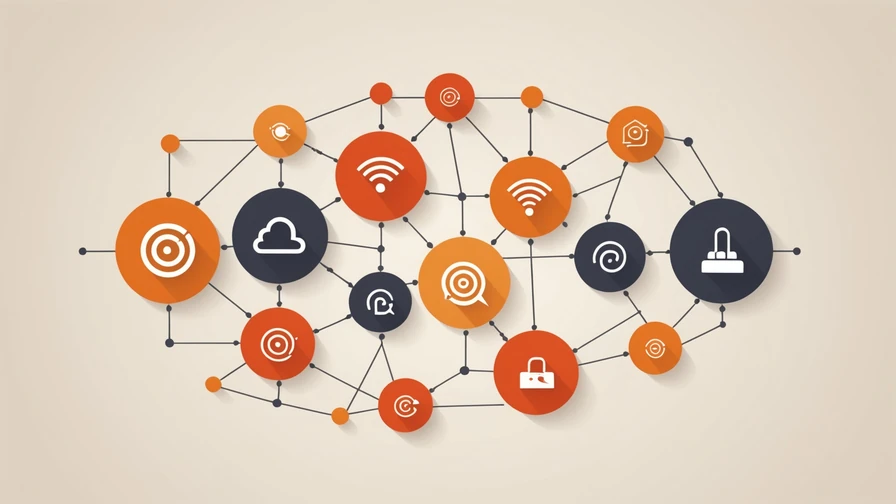
The fix is a unified queue with customer identity matching across channels. When a message comes in from any channel, the system checks whether the same customer has an open ticket elsewhere and surfaces that context immediately. Without this, you are managing three separate support operations that happen to share a customer base — which is not multi-channel support, it is multi-team chaos.
Channel-by-Channel: What Works and What Does Not
Email is your most reliable channel and the easiest to automate. Response time expectations are 4-8 hours for most SaaS customers, which gives automated agents a longer window to compose thoughtful responses. Email is also where your highest-stakes tickets arrive — billing disputes, contract questions, security issues — so your escalation rules need to be more conservative here than on faster-moving channels.
What works: autonomous resolution for tier-1 categories, structured escalation with draft replies, and threaded context preservation across multi-message exchanges. What does not work: sending automated responses that ignore previous messages in the thread, or routing to a human without the thread history.
In-app chat
In-app chat carries different expectations than email. Customers interacting via chat expect a response within minutes, not hours. This is where first-response automation provides the most CSAT benefit — even if full resolution takes longer, an instant acknowledgment with an accurate time estimate outperforms a 4-minute wait for a human to pick up the conversation.
The challenge with in-app chat is context scope. Chat sessions are often short and reference product UI elements ("this thing on the settings page") without sufficient context for an agent to immediately understand the issue. Build your chat routing to capture the current page URL, the customer's account plan, and any recent error events before routing to the agent. That context data cuts average handle time by 35-40% for chat tickets.
Slack Connect
Slack Connect is the most demanding channel operationally and the most valuable relationship-building channel for B2B SaaS. Enterprise and mid-market customers who have Slack Connect access expect faster response than email but are more tolerant of "let me look into this" responses than chat users — they know they are in a direct channel and they trust that someone is paying attention.
What you need for Slack Connect to work well: a dedicated triage rotation (do not rely on whoever happens to see the message), a clear SLA commitment you communicate upfront ("we respond within 2 business hours in this channel"), and a process for escalating Slack conversations to your ticketing system so they do not get resolved informally without a record.
Building a Unified Queue
The operational foundation of multi-channel support is a single view that shows all incoming requests regardless of channel. Without this, you will always have blind spots.
A unified queue needs four properties:
- Channel tagging. Every ticket shows which channel it originated from — email, in-app chat, Slack, or WhatsApp. This is necessary for applying channel-appropriate SLAs and for analyzing which channels generate which ticket types.
- Customer identity matching. Tickets from the same customer across different channels are linked, so agents see the full history without asking the customer to repeat themselves.
- Channel-consistent context. When an agent picks up a ticket, they see not just the ticket content but the customer's account data, plan tier, recent activity, and any previous tickets — regardless of channel.
- Routing rules per channel. Auto-resolution thresholds can be different by channel. You might set a more conservative sentiment threshold for Slack Connect (because enterprise customers expect human touch) than for in-app chat (where speed is primary).
Automation Strategy by Channel
| Channel | Auto-Resolution Suitability | Key Escalation Trigger | SLA Target |
|---|---|---|---|
| High — all tier-1 categories | Billing dispute, contract terms, sentiment < threshold | 4 hours first response | |
| In-app chat | High — with UI context capture | Onboarding failures, feature blockers, negative sentiment | 2 min first response |
| Slack Connect | Medium — draft + human review recommended | Any account-specific question, enterprise SLA impact | 2 business hours |
| Medium — FAQ/status queries only | Anything requiring account access or policy judgment | 4 hours |
The Cross-Channel Context Handoff
One scenario that breaks multi-channel support consistently: a customer starts a conversation on one channel and continues it on another. This happens more than you expect — particularly with Slack Connect customers who sometimes fire off an initial question via chat and then follow up via email when they do not hear back fast enough.
The fix requires two things: a 48-hour context window (any ticket from the same customer within 48 hours is linked to previous tickets regardless of channel) and a brief context summary at the start of each new channel interaction that references the open or recently closed thread. "We see you have an open ticket about [topic] — is this related?" closes the loop for the customer and prevents the agent from working in the dark.
"Customers do not think in channels. They think in problems. Every time they have to repeat their problem because you lost the context between channels, you have failed them — not just inconvenienced them."
When to Add a New Channel
The right time to add a new support channel is when your customers are demonstrably trying to reach you on it and failing — not because a competitor offers it or because a new hire suggests it. Adding a channel without the operational infrastructure to support it dilutes your response quality on existing channels.
Before adding any new channel, answer two questions: Can you maintain your existing SLAs on current channels if this new channel adds 15% to your inbound volume? And do you have a unified queue where the new channel can be integrated on day one? If either answer is no, the infrastructure work comes before the channel launch.